UI design
UX research
Responsive Design
Government
Prototyping

TL;DR
Redesigned a complex government financial system with AI at its core.
Simplified 4 core workflows, introduced an AI copilot strategy, and validated with real users.
Project
Treasora
AI-powered emergency financial workflow
Client
PFF, LLC
Capstone, Spring 2026
Team
5
Designers across 5 structured sprints
My Roles
4
UX Design · Research · PM · Prototyping
Outcome
A fully tested, high-fidelity product.
Delivered end-to-end flows across 4 core workflows
Introduced AI copilot with clear trust and transparency model
Reduced confusion and improved task completion across all user types
Context
PFF asked us to rethink a powerful, complex financial system, for people who aren't financial experts.
Existing System
InCEP, capable but demanding
Domain
Emergency fund management
Goal
"Make financial planning feel easy, even under pressure"
The Problem
Emergency financial workflows aren't built for speed or clarity.
Users, especially those without a finance background, experience friction at every step:
01
Fragmented across multiple steps
02
Unclear starting points
03
Dense financial jargon
04
Manual approvals that slow everything down
In an emergency
The cost of friction is time, and delayed decisions when they matter most.
My Role
I wore all four hats throughout the process.
01
UX Designer
End to end flows and interface design.
02
Researcher
Interviews, analysis, usability testing.
03
Project Manager
Led a sprint; kept the team aligned on scope.
04
Prototyper
Interactive prototypes for testing and demos.
Understanding Users
Five roles, one system, a wide expertise gap.
Role
Finance Fluency
Financial Analysts
High
Procurement Officers
Mixed
Approvers
Mixed
Directors
Varied
The challenge
System Map
Four workflows define how money moves, and they're deeply connected.
We designed these as a connected experience, not a set of isolated screens.
01
Funds are requested and scoped
Estimates are built and refined further
Money moves; records are kept
Reviews happen at every step to ensure clarity
Usability Testing
We tested with a diverse users.
Who we tested with
Expertise
Financial analysts to first time users
InCEP familiarity
Seasoned users and newcomers alike
Age and technical comfort
A wide range, intentionally
6
Participants
4
Tasks each
Create a mission assignment and cost estimate, approve the estimate, then create and approve a transaction.
What we learned
Five insights that reshaped the design.
Even good features fail if users don't see them.
AI Strategy
AI is a copilot, not a decision maker.
Support the user, speed up repetitive work, and surface risk, while keeping the human in control.
01
AI review
Flags issues during approvals. A second pair of eyes.
02
Smart assistant
Drafts and checks transactions along with user.
03
AI summaries
Turns dense records into plain language recaps.
04
Confidence cues
Every suggestion shows its reasoning and sources.
What we learned
Five roles, one system, a wide expertise gap.
#
Insight
Design change
01
Unclear starting points
Simplified nav and clarified entry points for every workflow.
02
AI was missed, and unclear what was AI
Made AI more visible and gave every AI suggestion a consistent, recognizable treatment.
03
Jargon slowed people down
Rewrote labels in plain language, kept domain terms as tooltips.
04
Errors only caught at approval
Surfaced AI suggestions before submission, so requestors catch issues early.
Design Solution
A simplified system built for speed and clarity.
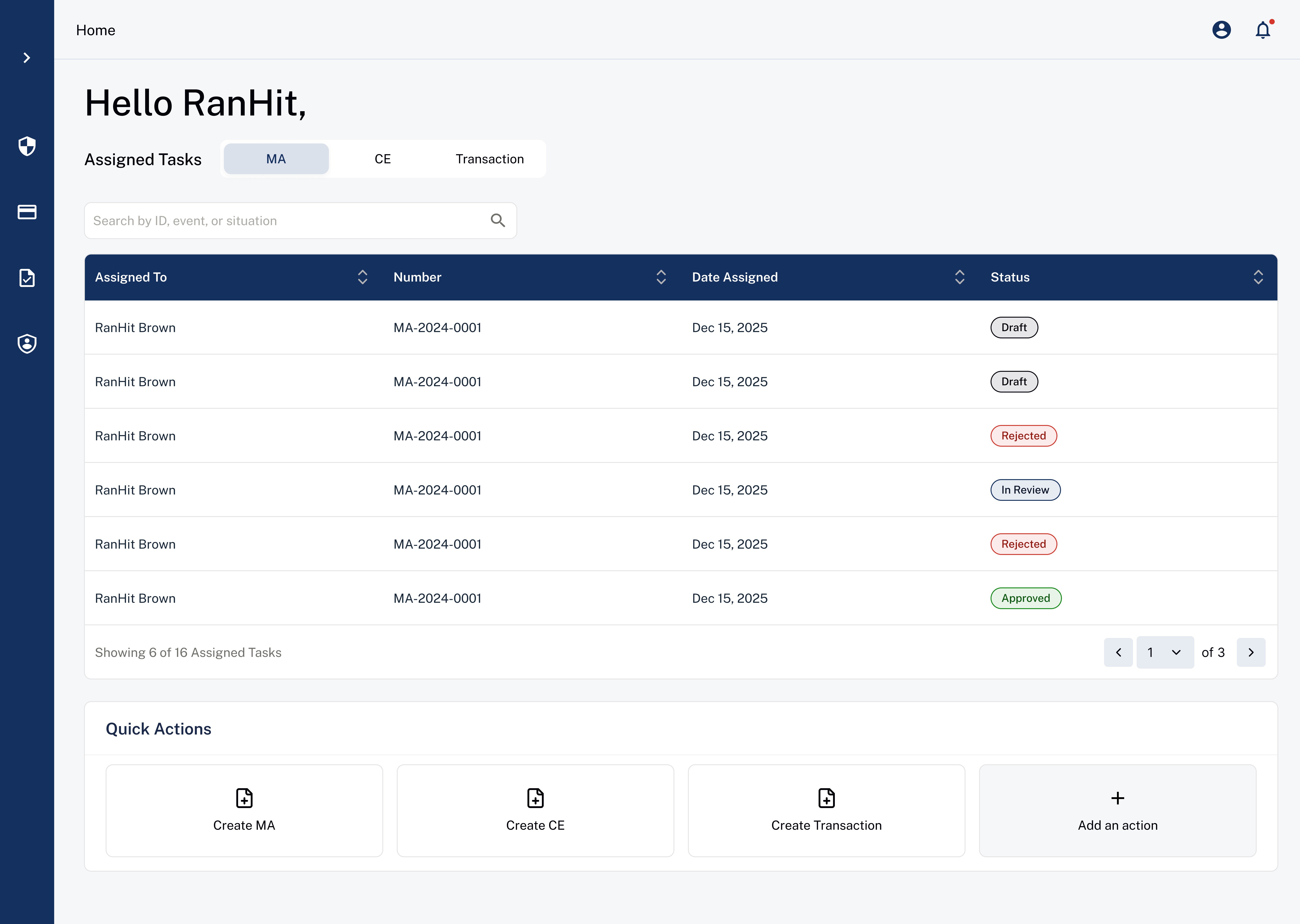
01
Structured experience
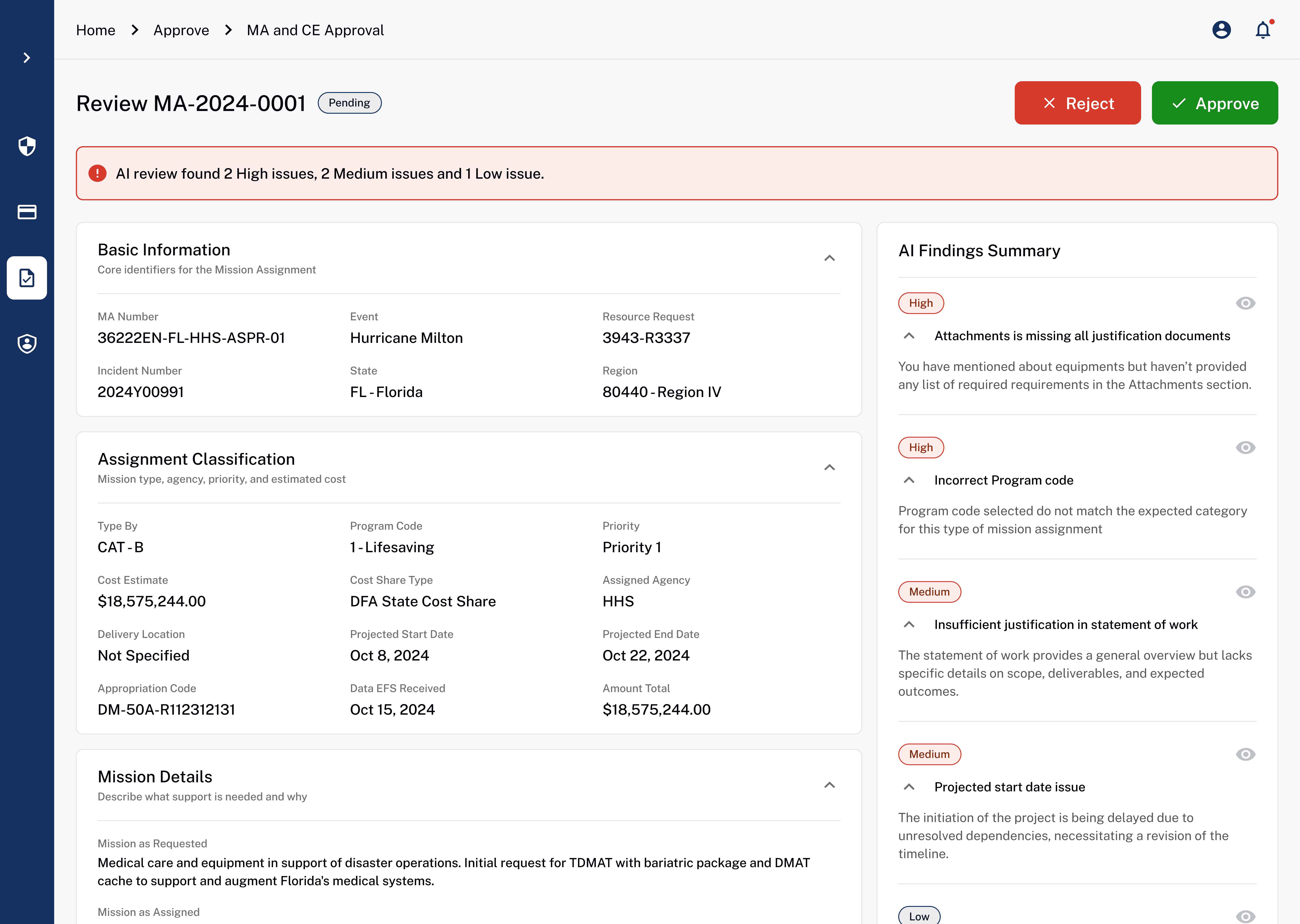
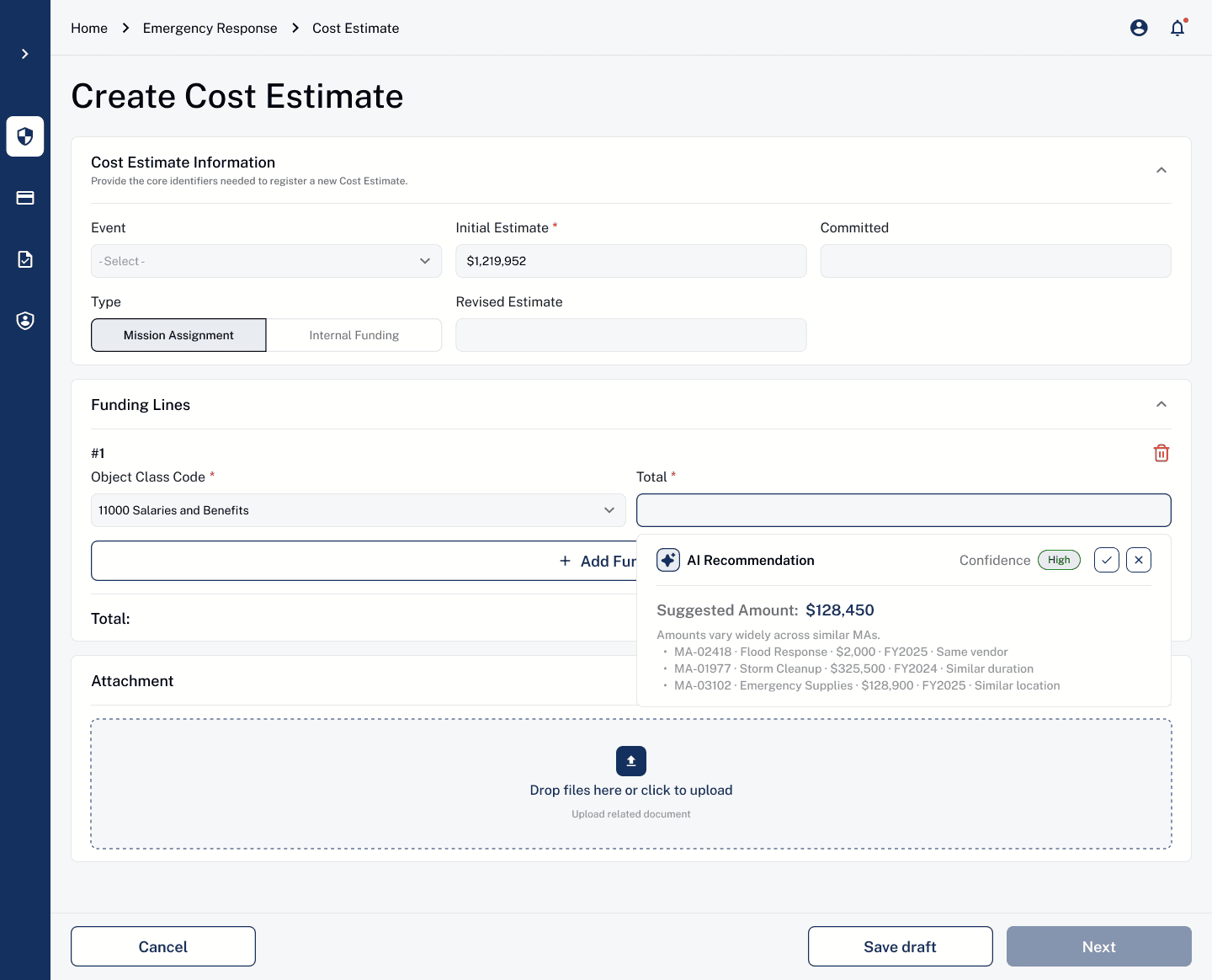
Core Flow 01
Create Mission Assignment & Cost Estimate
InCEP
The existing process was fragmented and error prone. Users struggled to find where to start and how to move forward.
New UI
Guided progression, clear hierarchy, and reduced cognitive load. Addresses the discoverability and trust issues we saw in testing.
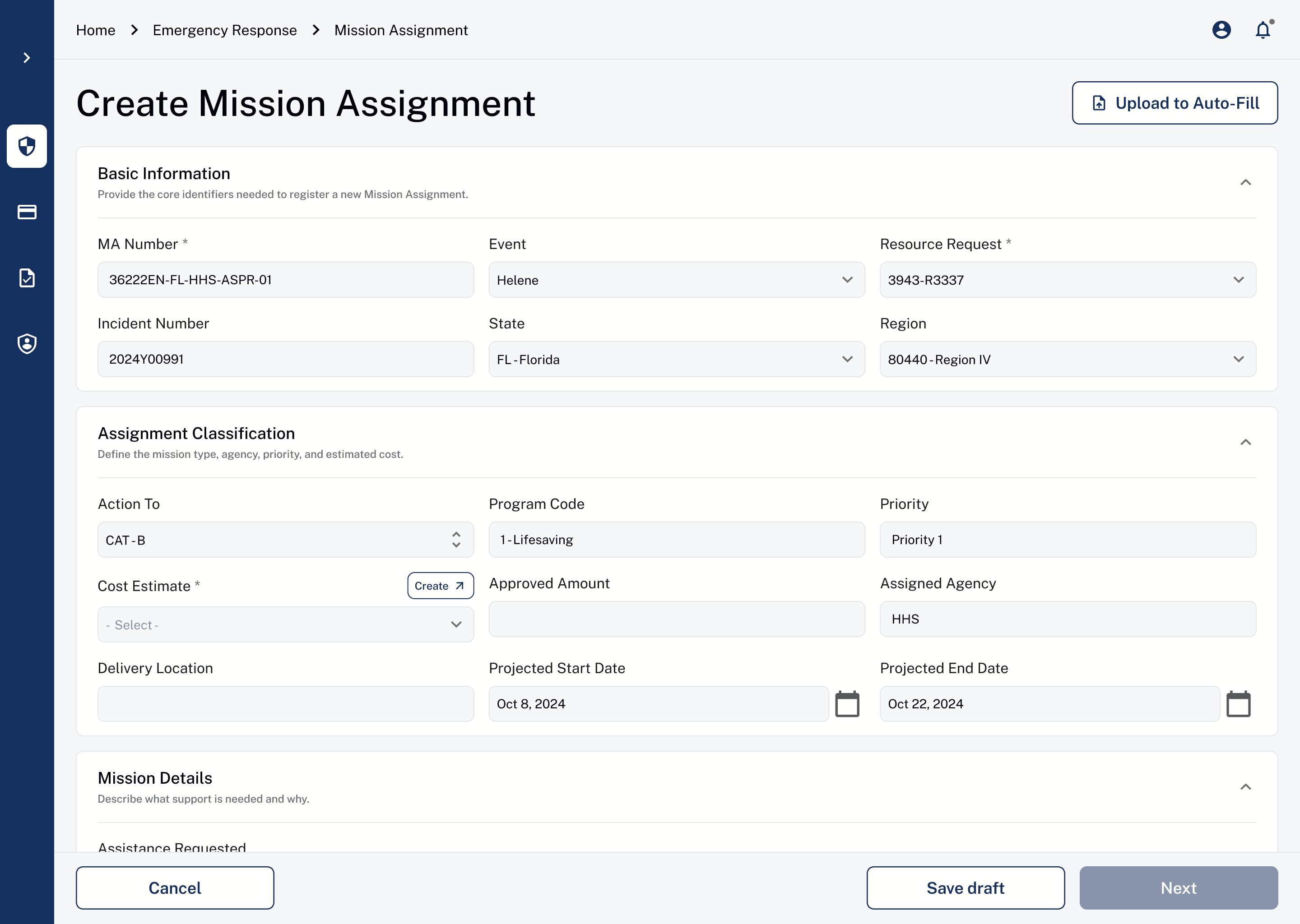
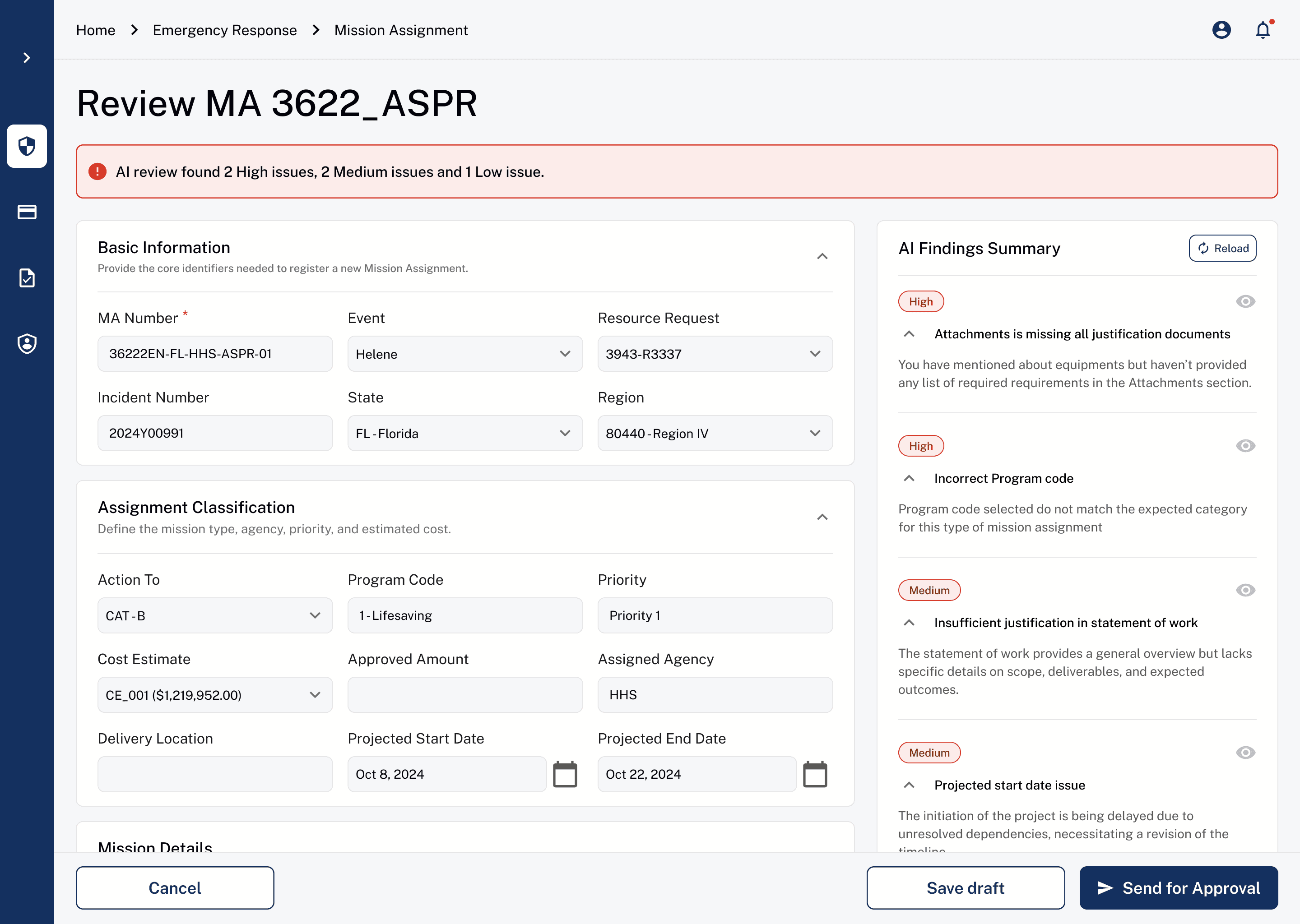
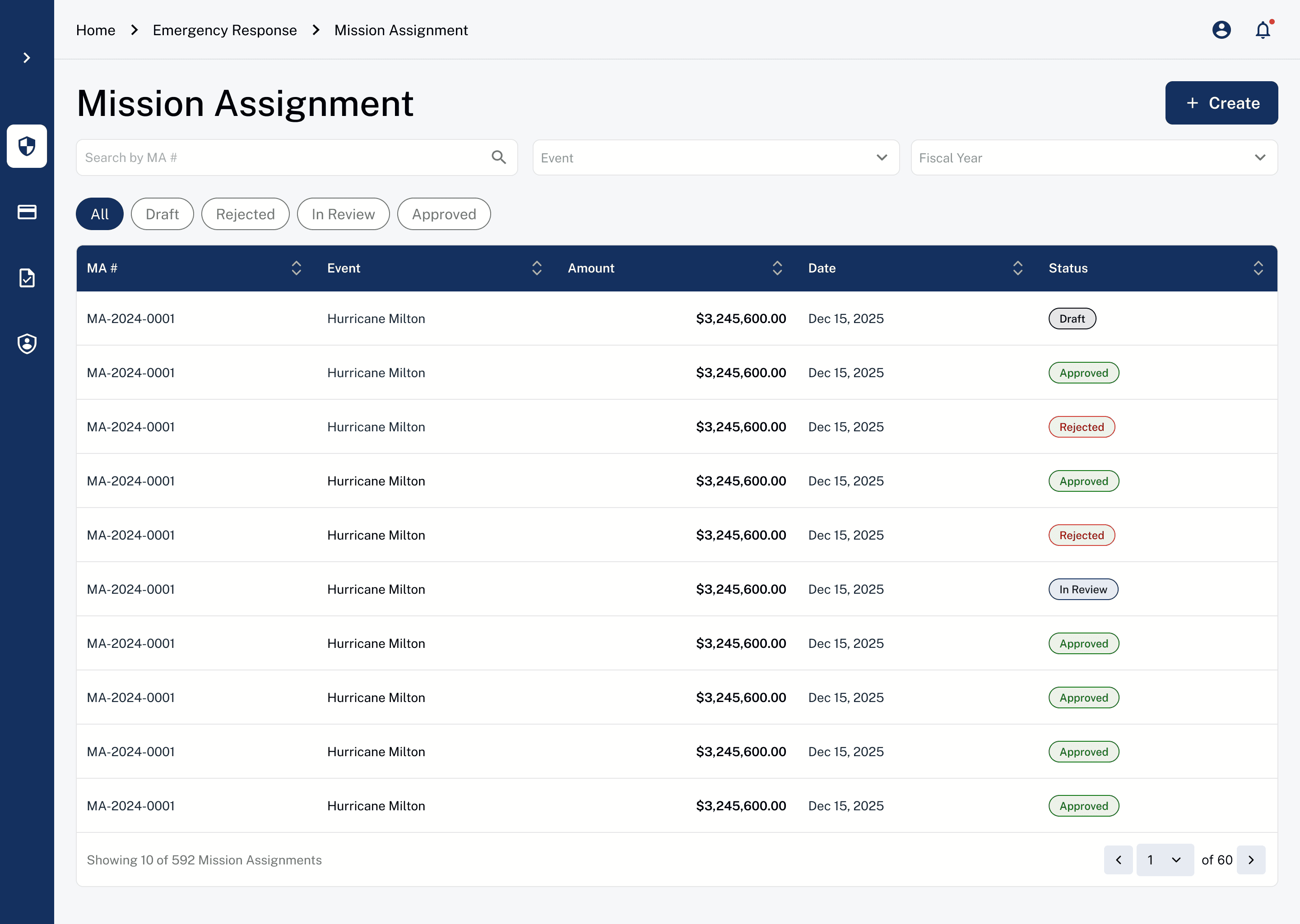
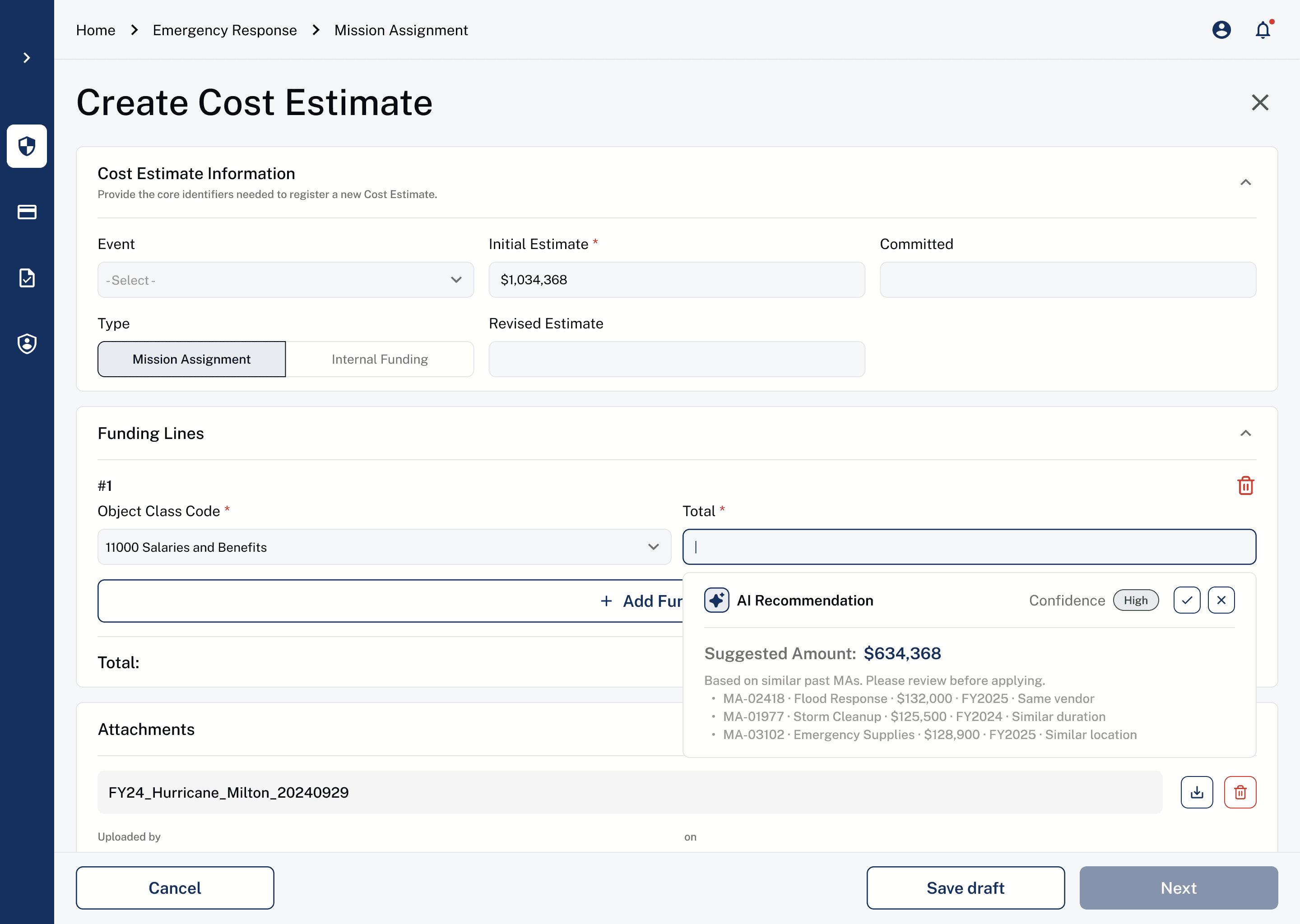
AI recommendation helps users instead of looking through everything manually
Core Flow 02
Review & approve missions.
InCEP
Approvals required hopping between screens and documents. Context was lost between review, comparison, and final sign-off.
New UI
A single decision interface surfaces the details, history, and AI-suggested flags together, so reviewers can act without losing context.
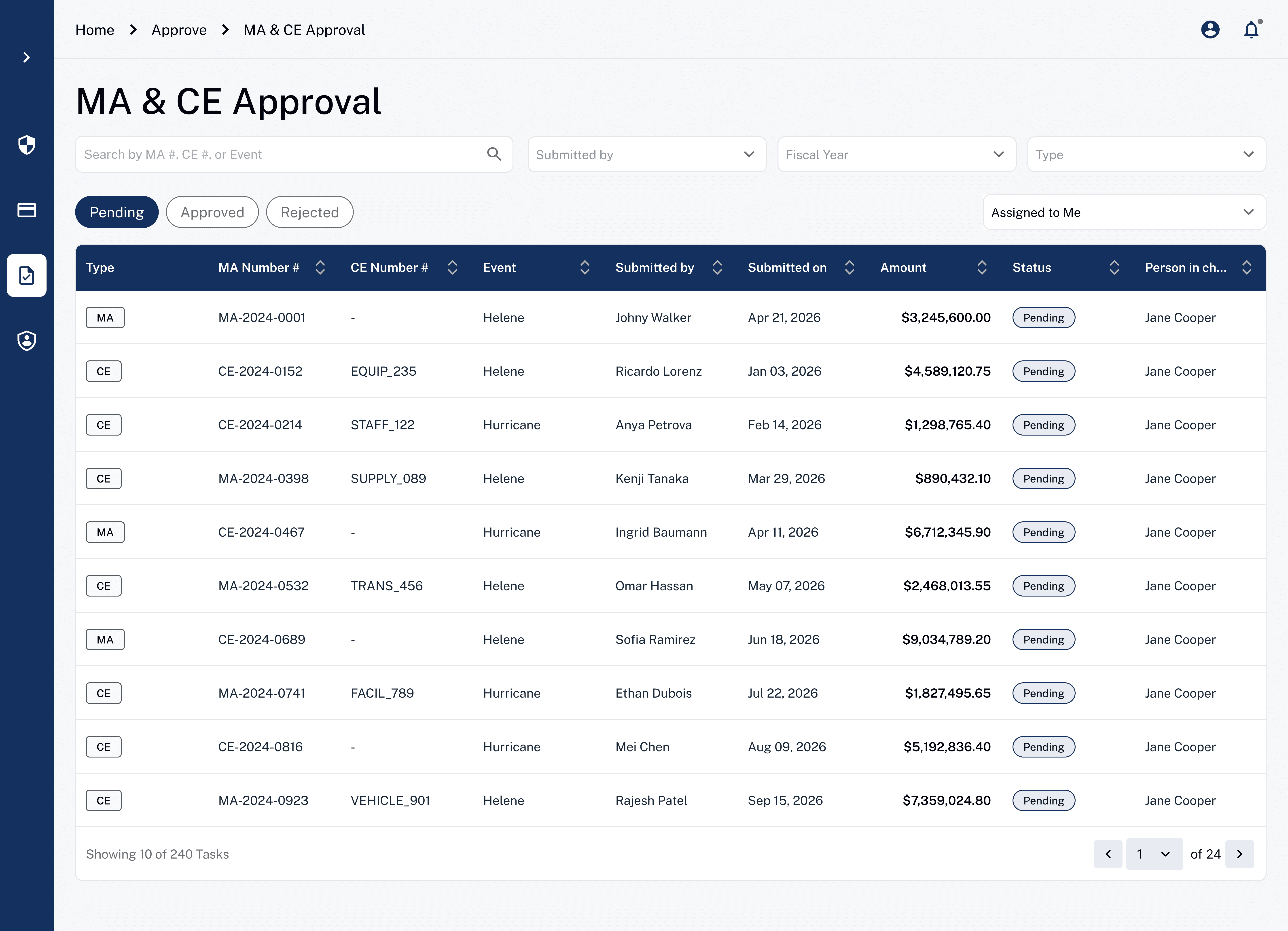
Manage approval tasks
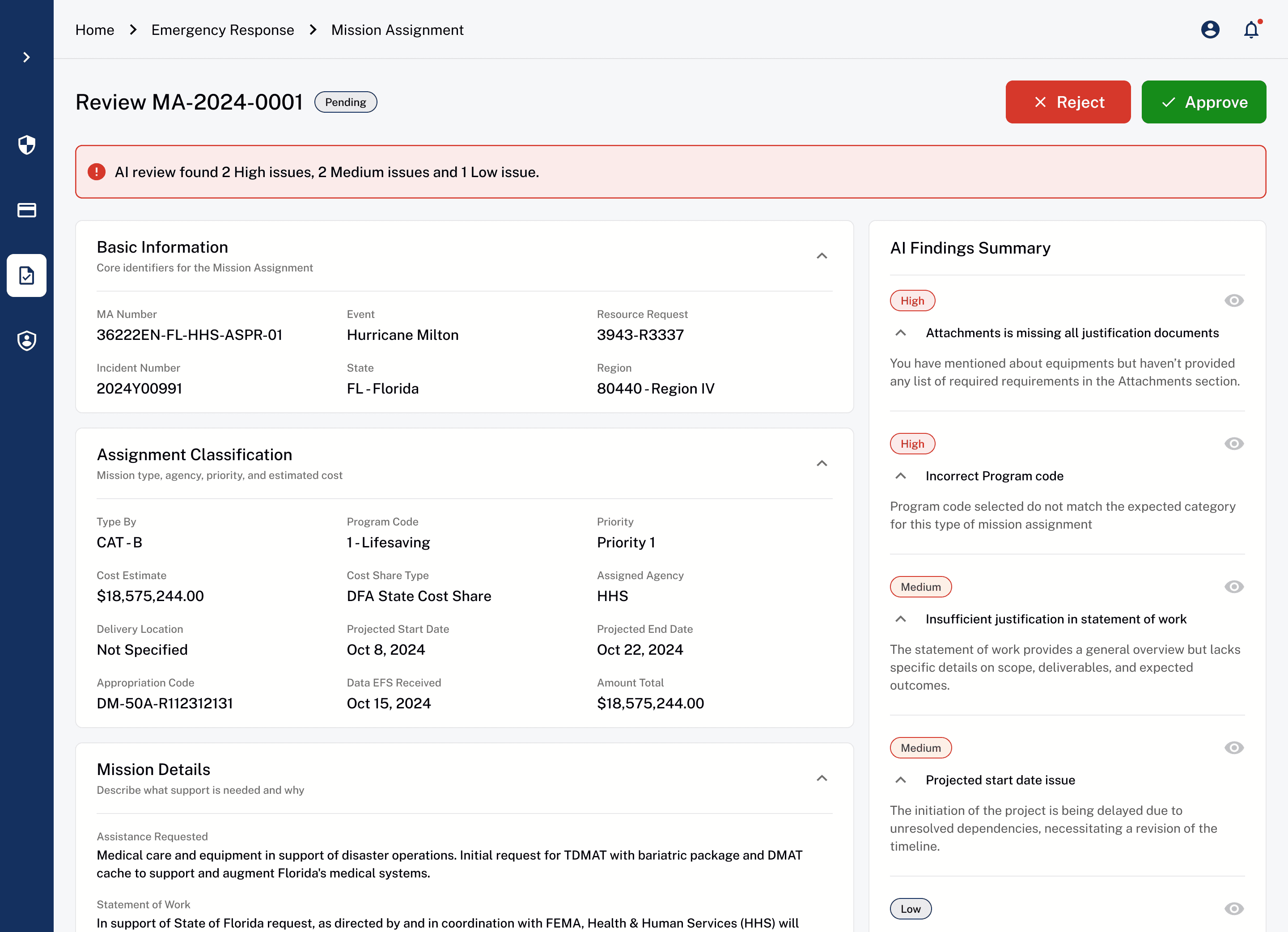
Review with AI insights
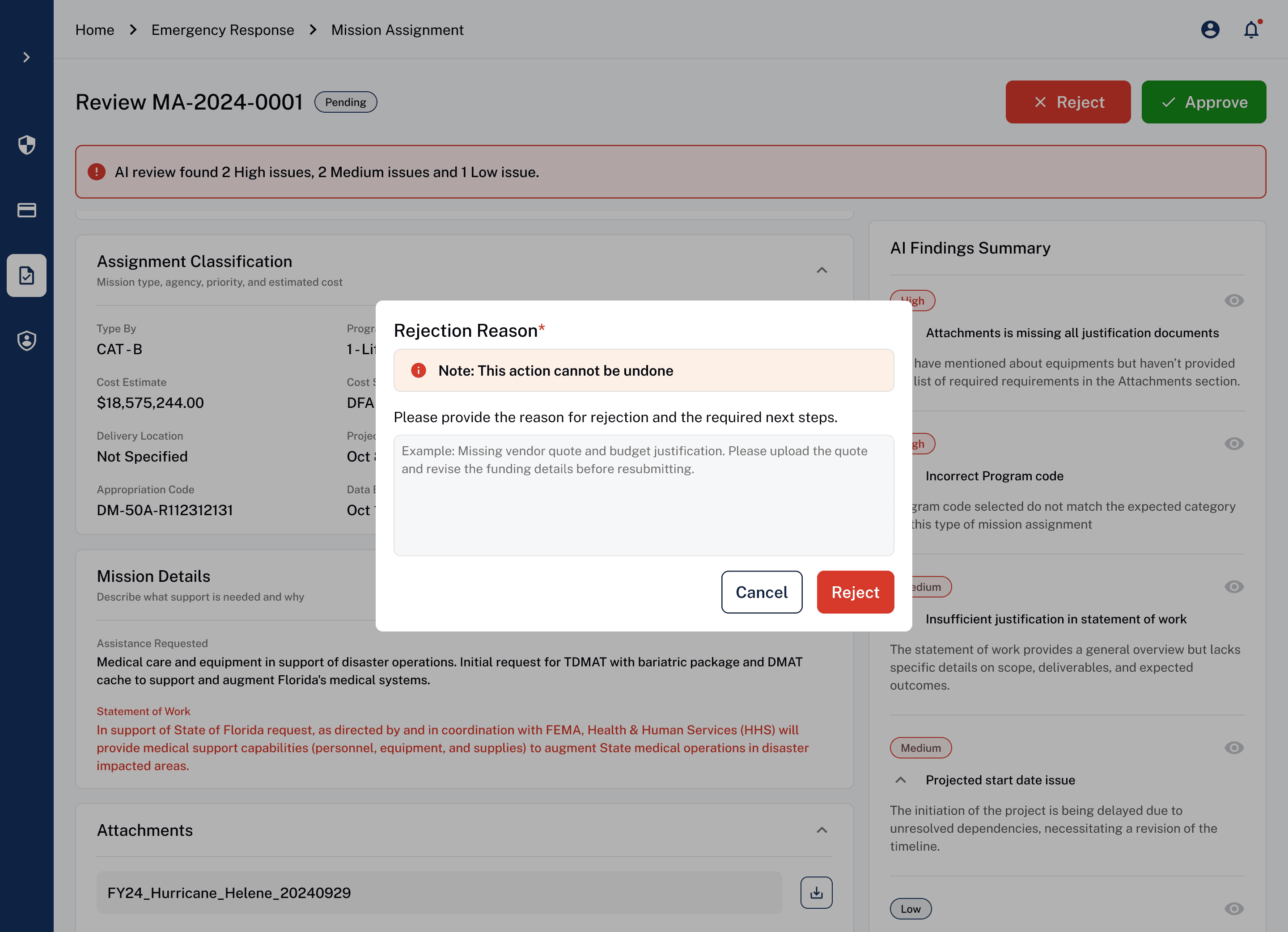
Rejection flow
Core Flow 03
Monitor and analyze
InCEP
Budget tracking required manual consolidation across reports and systems. Users lacked real-time visibility into spending, utilization, and remaining funds.
New UI
A centralized dashboard provides real-time visibility into budget metrics and utilization trends. Interactive views and AI insights help users quickly analyze data and make informed decisions.
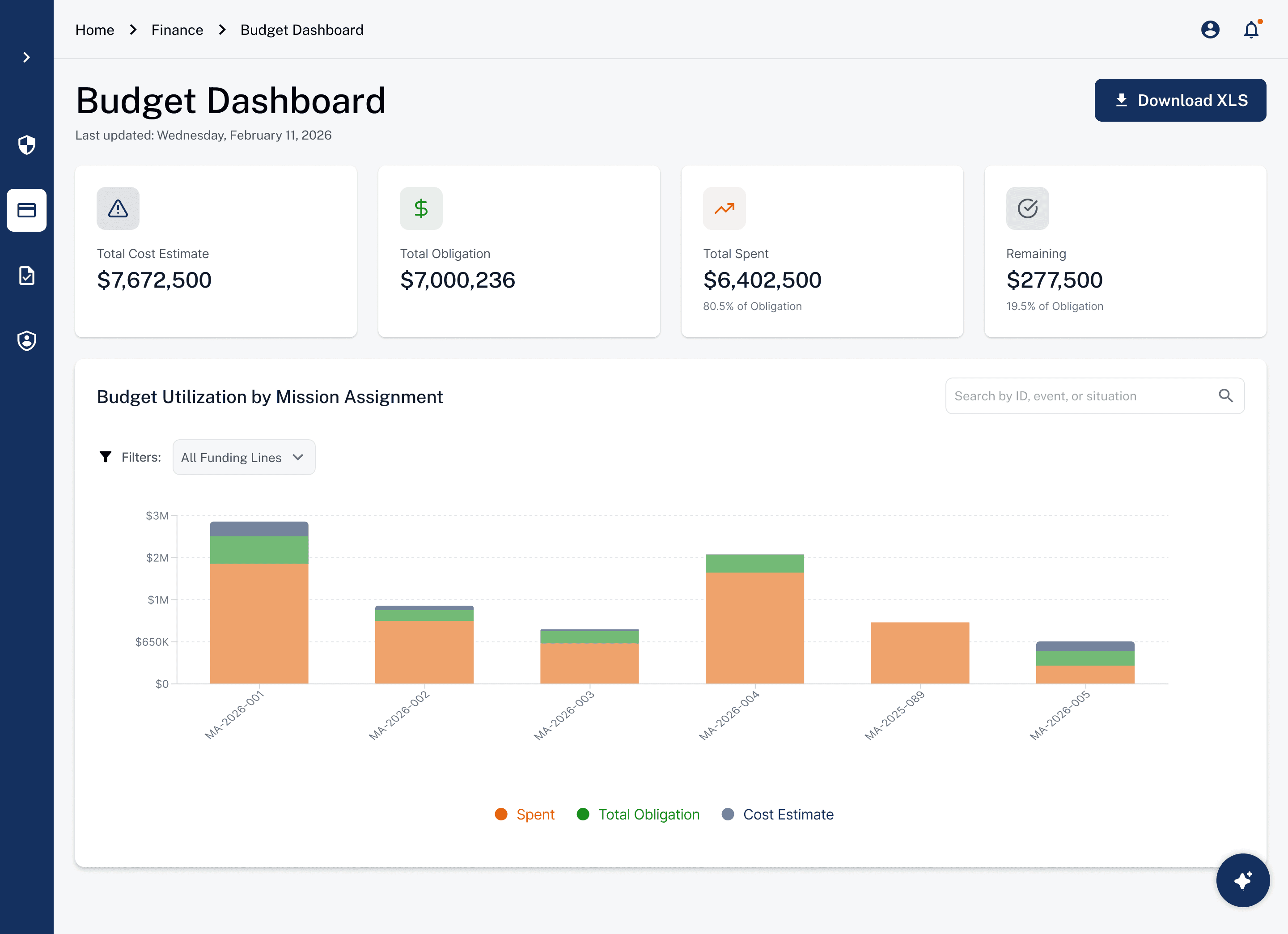
Financial Dashboard
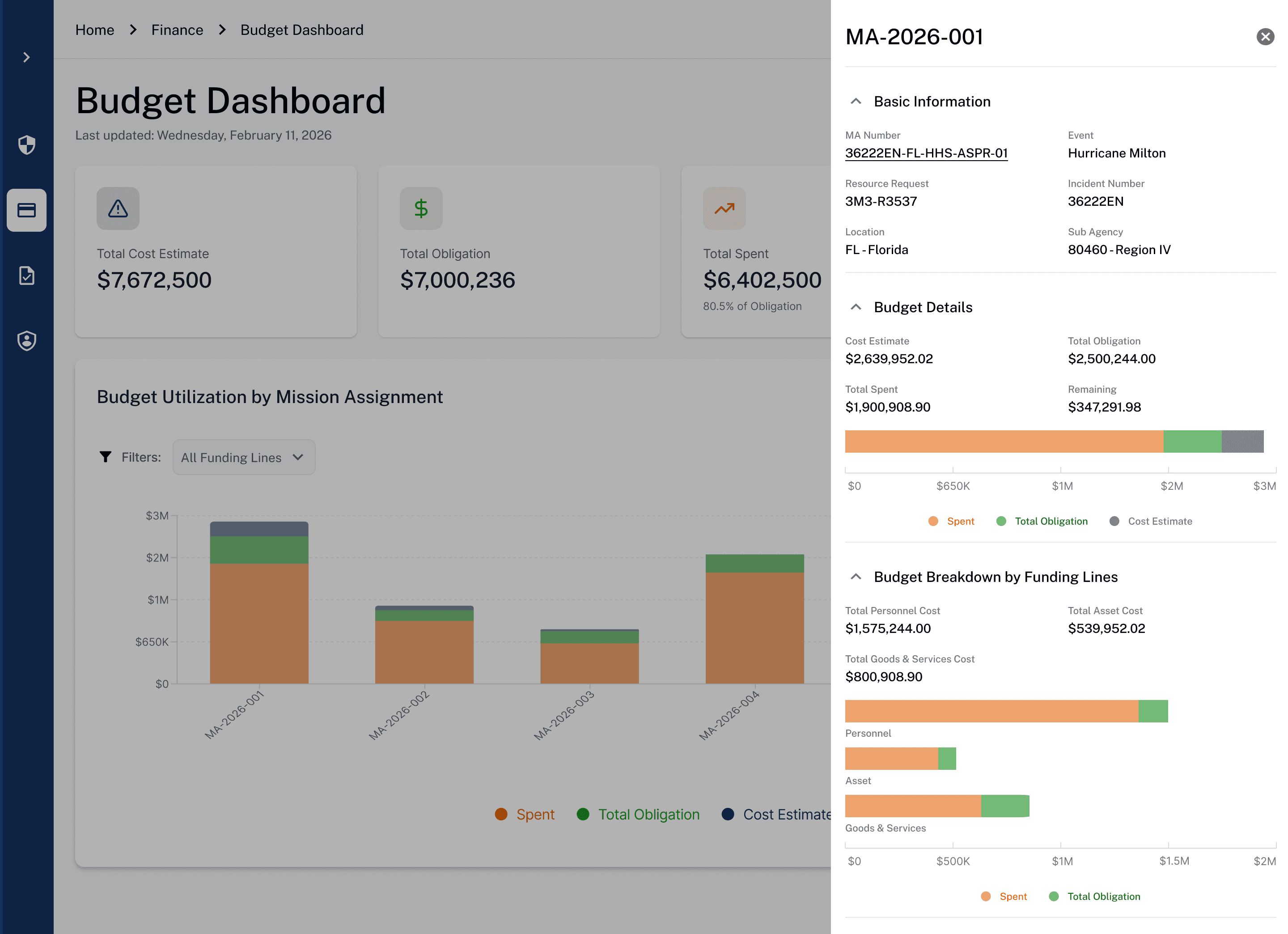
Budget Deep Dive
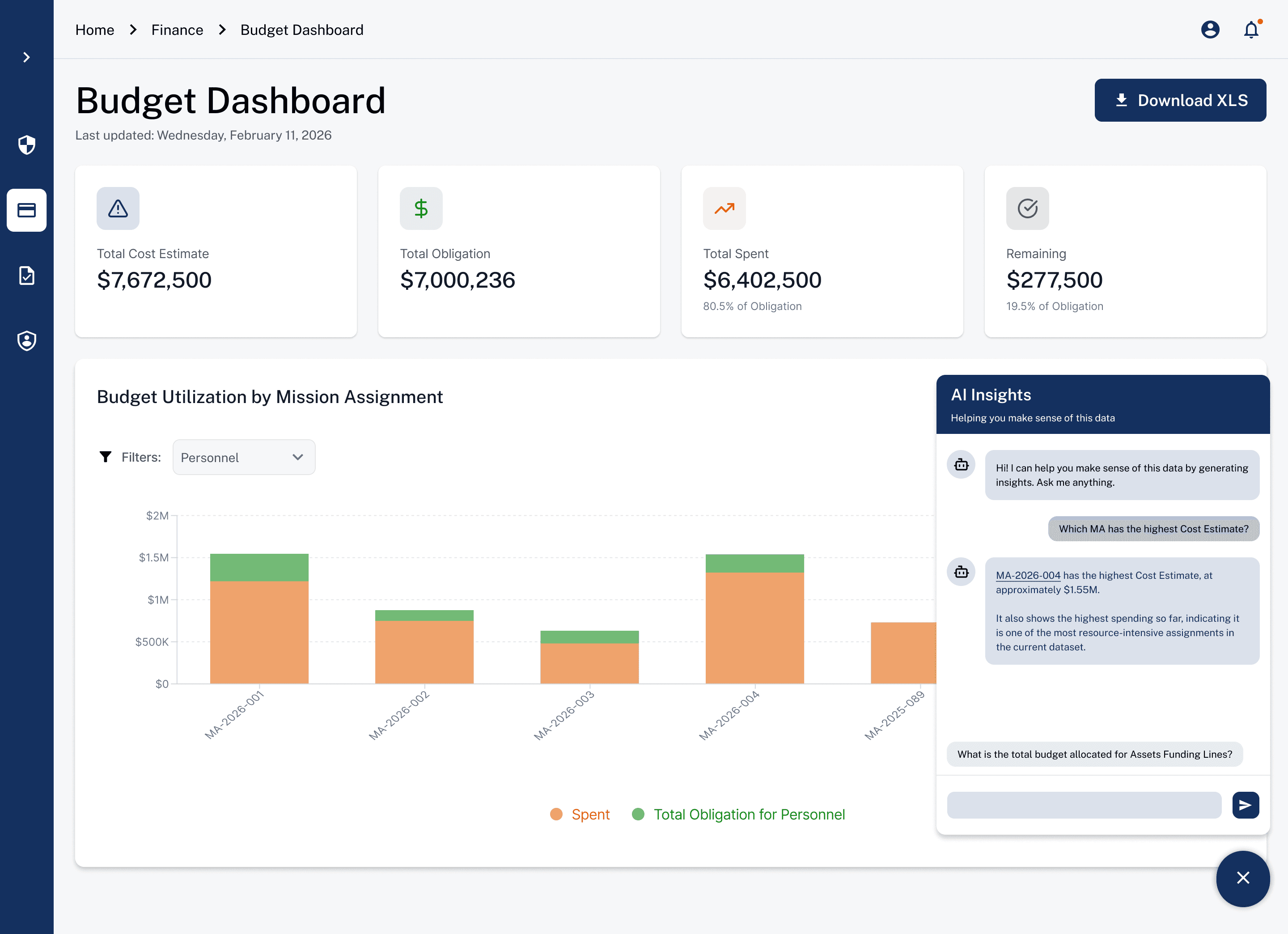
AI Insights panel
What changed for people using Treasora
~10%
User operation error rate across core workflows
4.8+/5
Average usability score across tasks and participants
Positive
Overall feedback from every participant with AI features were well received
Reflection
01
Simplicity isn't the goal. Clarity in complex system is.
02
AI is only valuable when people understand and trust it.
03
Visibility of features matters as much as the features.
04
Designing for multi persona means designing for flexibility.